



eVote
Your vote makes a difference

Adams-Columbia Electric Cooperative is a member-owned organization that depends on you to help shape the future of your electric co-op. We’ve made it easier than ever to vote for your Board of Directors. Follow the step-by-step instructions below to learn about our eVote voting option. Below are screen shots from a desktop view. If you are voting through a mobile browser or our SmartHub app, the steps will be the same.
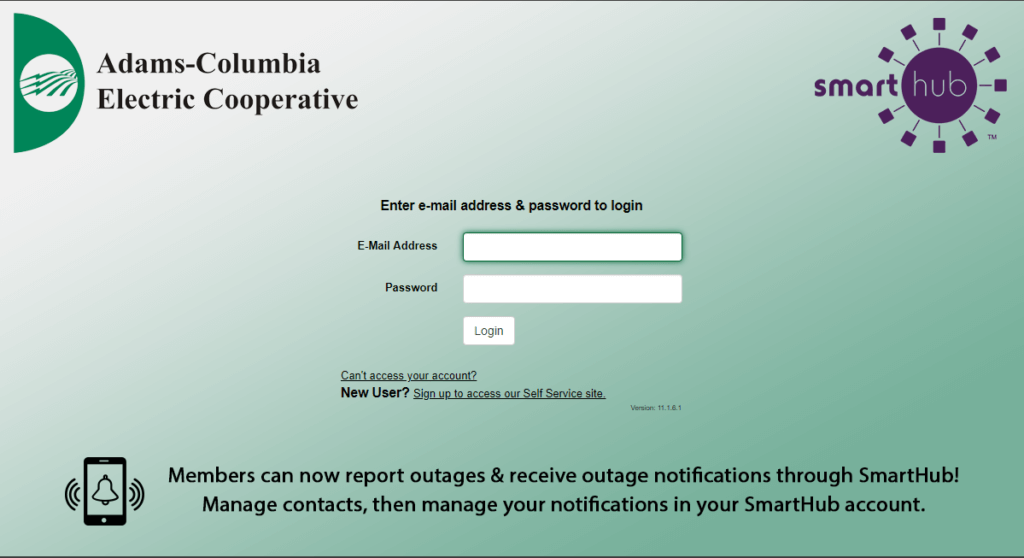
- Log In to SmartHub by clicking the SmartHub logo at the top right of your screen, or click the button below.
2. Log in or create an account. Contact one of our customer service representative at (800) 831-8629.
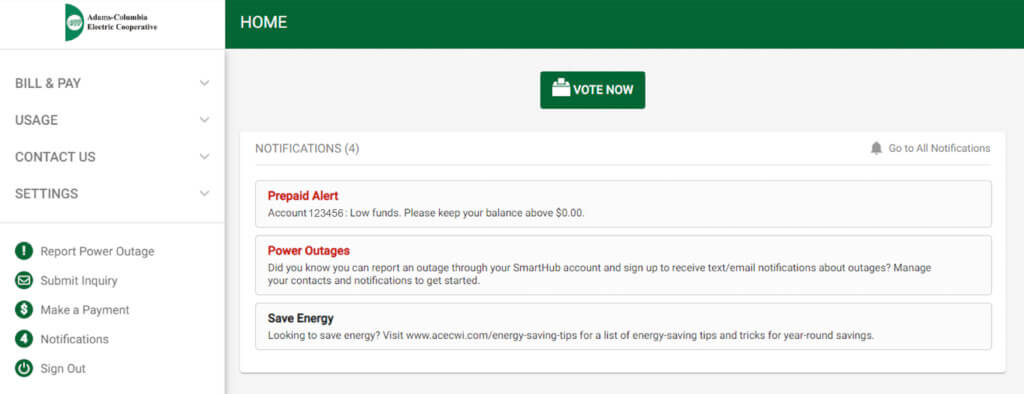
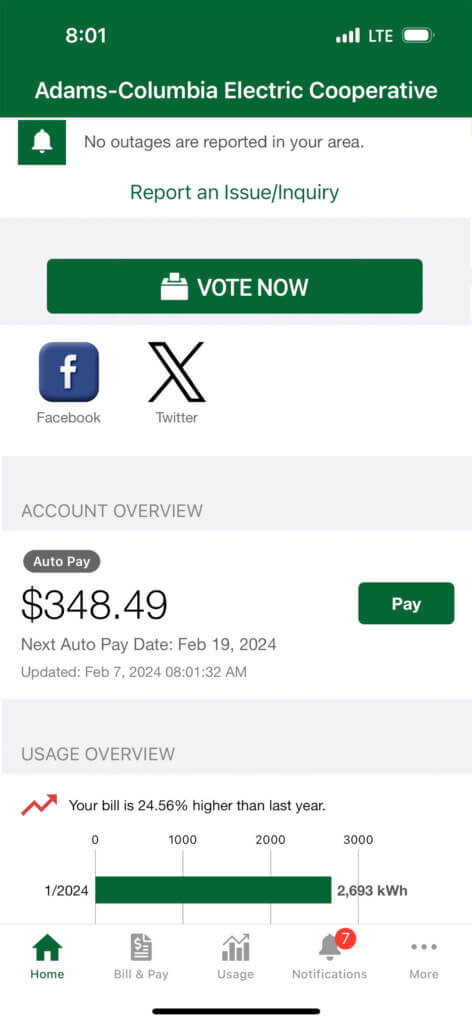
3. Click the ‘Vote Now’ button. If you’re on a computer, it will be in the top right corner of the screen. If in the SmartHub app, it will be at the top of the screen.
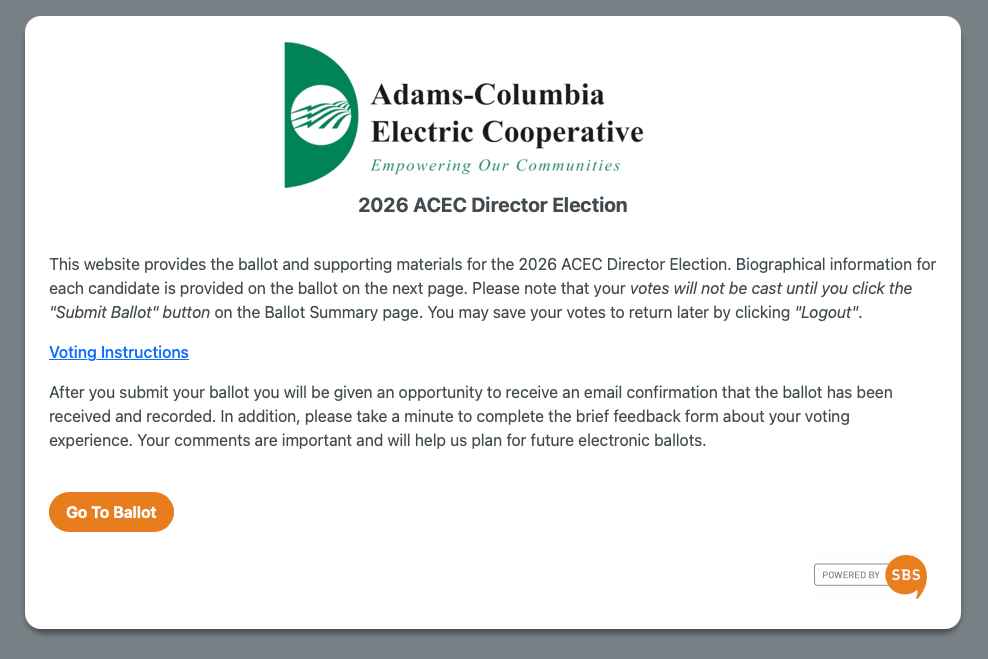
4. You will be directed to our voting website shown below. Click ‘Go To Ballot’.
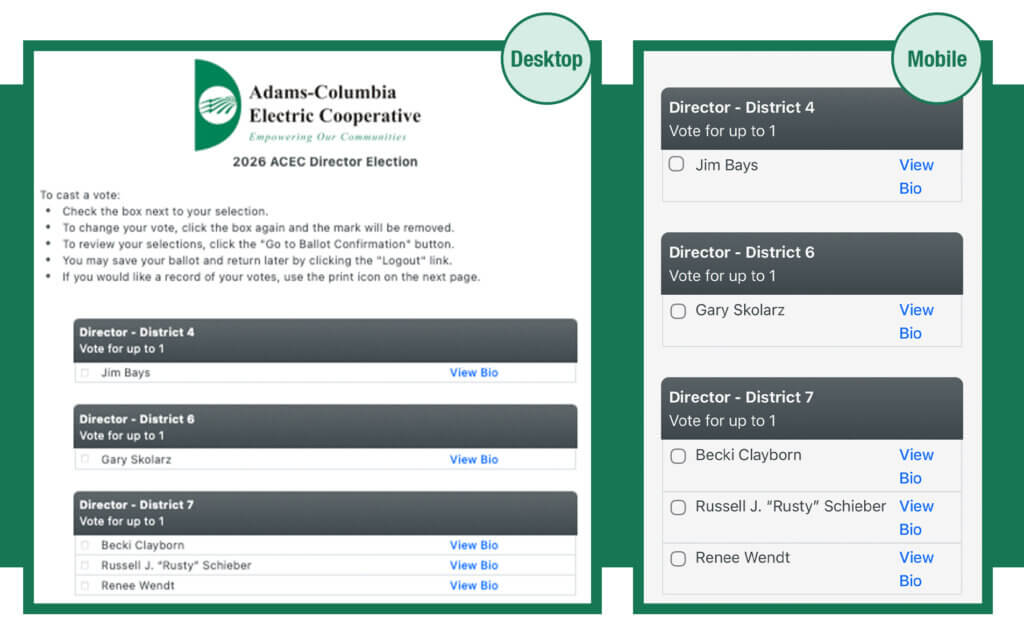
5. Select which director candidates you’d like to vote for. After you have made your selections, click ‘Go To Ballot Confirmation’ at the bottom of your screen.
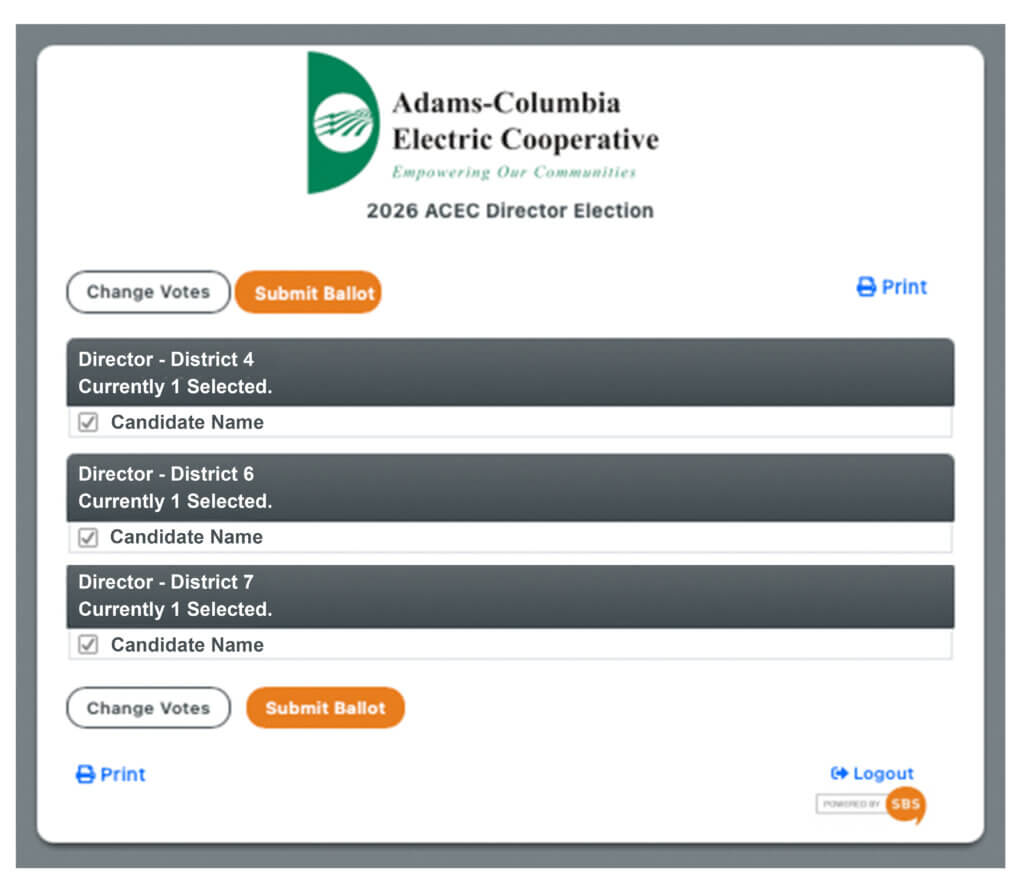
6. A confirmation page will appear for you to review your selections. Review your choices and click ‘Submit Ballot’ when you’re ready to cast your ballot.
7. After your vote has successfully been submitted, you will see a thank you screen indicating your vote has been recorded.